Why most guitarists lose track of their practice
If you are searching for a guitar practice tracker, you have probably already felt the gap: you are putting in the hours, but you cannot say with confidence what you have truly internalized. You run through a handful of familiar songs, work on something new, and finish the session feeling productive — without a clear answer to whether you are actually ready for Friday's gig, an open mic, or a last-minute sit-in.
The instinct to keep a guitar practice log makes complete sense. The problem is the format most people default to. Spreadsheet rows, sticky notes, and notebook scrawls capture titles — not songs. A song is its chord progression, the lyric that trips you up in the second verse, the key change in the bridge, and a mental flag that says you have not played it live since March. You learn it from a YouTube tutorial, save the chord chart in a browser tab, and never consolidate any of it into something you can actually perform from. When that context is scattered across a PDF songbook, a browser tab, and a corner of a notebook, you are not tracking your practice. You are managing fragmented information and hoping it adds up.
Generic habit-tracker apps make this worse. They count daily minutes and celebrate unbroken streaks, but they have no idea that one song is rock-solid while another collapses after the bridge. They cannot flag that four songs in your folder have gone untouched for three months, or that the venue expects ninety minutes of material and you can honestly deliver seventy. A streak only tells you how often you showed up. It says nothing about whether your set is ready.
The cost lands at the worst possible moment. You go blank on a lyric under the lights. You agree to a song you were certain you knew. You spend the night before a show rebuilding a setlist from memory. A real guitar practice tracker should answer one honest question before every session and every gig: which songs are actually ready to play?
Why tracking your guitar practice actually works
There is a difference between playing guitar and practicing guitar. Playing means running through material you already know comfortably. Practicing means working with deliberate attention — identifying what is not working, isolating it, and fixing it before moving on. Most guitarists spend the majority of their time playing rather than practicing, and that is not a discipline problem. It is what happens when your practice system only records how long you played, not what actually needs work.
Learning a new song takes concentrated effort. Keeping that song performance-ready across months and years takes something different: regular, low-effort contact. A song you play every couple of weeks stays sharp. A song you have not touched in three months will feel unfamiliar under pressure even if you once knew it thoroughly. This is not a memory failure. It is a maintenance problem — and it is entirely solvable with a consistent review habit.
Most guitarists have a rough mental estimate of how many songs they know. The number of songs that are genuinely performance-ready is almost always smaller. The gap is filled by songs that were learned, felt solid for a while, and then drifted quietly. Without any record of what you have played recently, those songs are invisible until someone calls them and you hesitate. A simple guitar practice log — even a basic one — closes that gap because it forces the question: when did I last actually play this?
A large part of the effort in any practice session goes into deciding what to practice. When that decision has to be made from scratch every time, you default to whatever feels easiest, which tends to be the songs you already play well. A clear picture of your repertoire removes that decision from the session itself. You arrive knowing what needs attention. The cognitive energy that would have gone into planning goes into playing instead.
Accumulating practice hours is not the same thing as preparing for a performance. Hours stack up. Preparation has a specific target: this set, this venue, this Friday. The most useful thing you can track is not total time practiced but whether each song in your upcoming set is genuinely ready. That requires knowing what the set is, which songs in it are weak, and whether you have run the full sequence recently enough to trust it on stage.
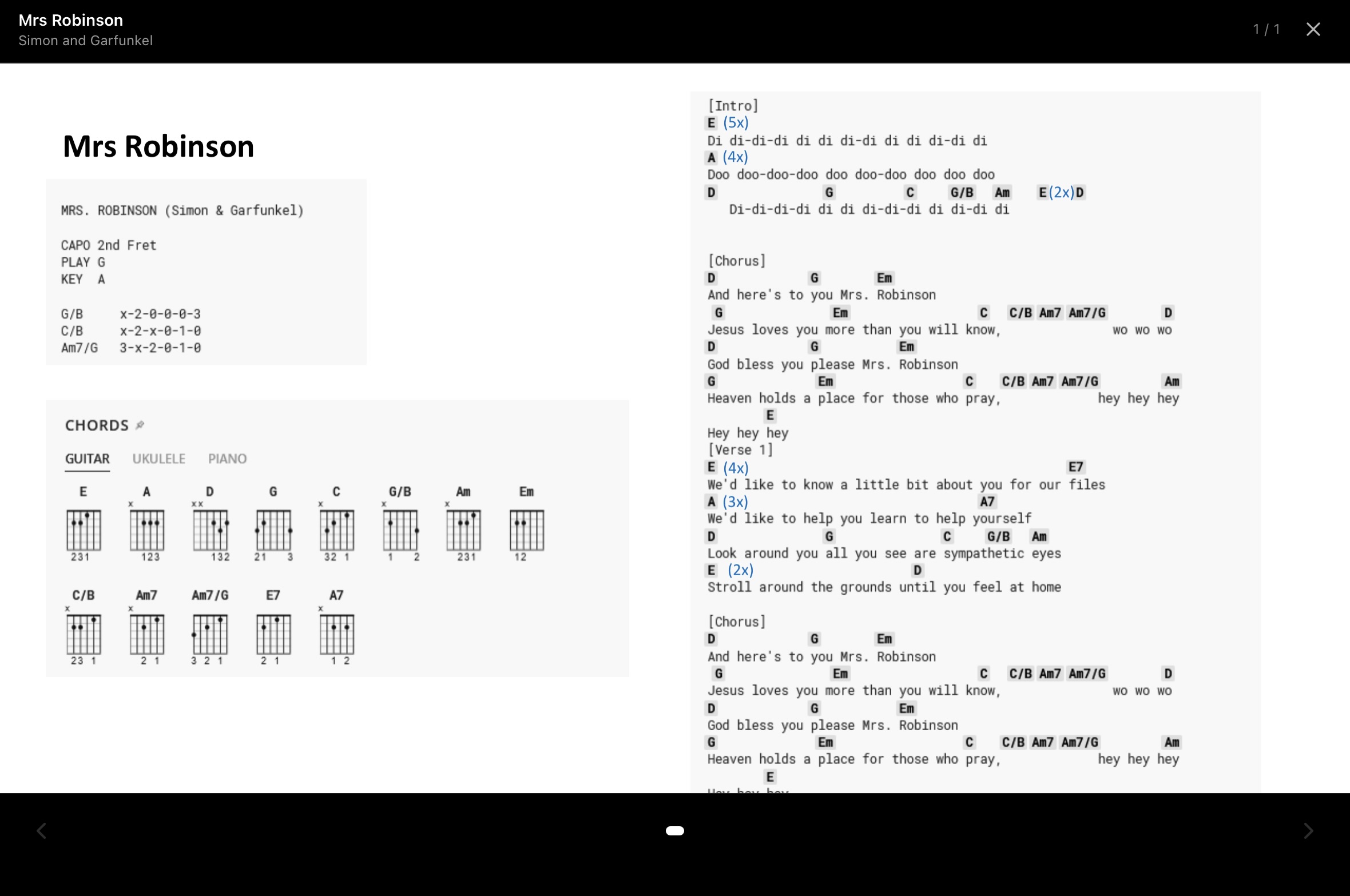
None of this requires software. Guitarists maintained large repertoires long before apps existed — with notebooks, setlists on the wall, and self-imposed weekly reviews. What a tool like GuitarFlow does is reduce the friction of that maintenance workflow: your song library, chord charts, and setlists in one place, available offline, with Performance Mode to rehearse the way you perform. The underlying practice principles stay the same. The tool just makes them easier to keep up with consistently.
A practice tracker built around songs, not streaks
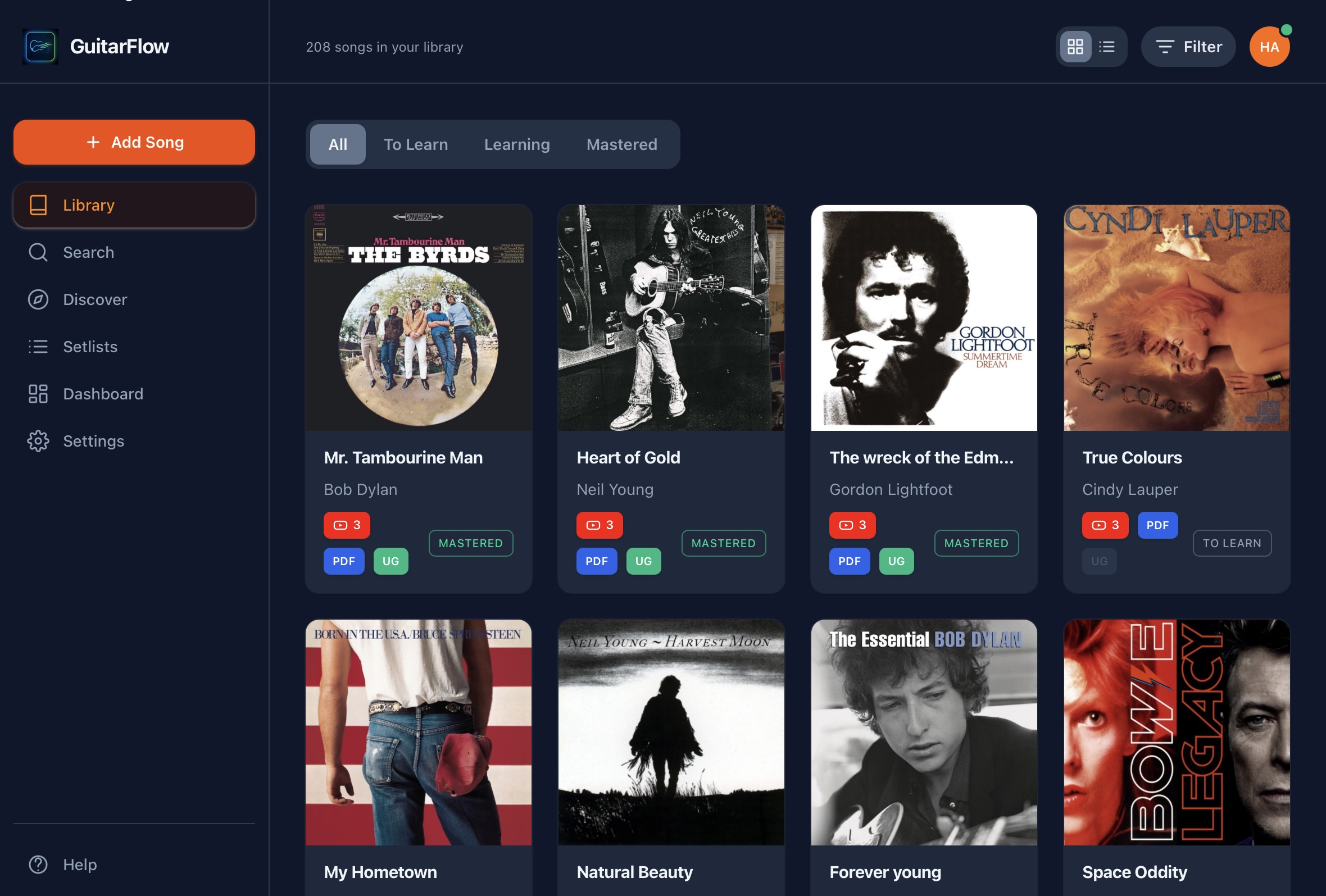
The most effective way to organize guitar practice is also the most straightforward: put every song you play into a song library — a digital songbook where each entry holds the full chord chart, not just the title. When your song library is your repertoire, reviewing it is the same as reviewing your practice. You stop logging abstract time and start seeing real gaps.
A guitar practice planner works differently from a habit tracker because the unit of progress is the song, not the session. When you can scan your entire repertoire and ask when you last worked through a particular song, neglected material surfaces on its own. The songs you have been avoiding or forgetting stand out without a separate dashboard or report. A well-maintained song library is the report.
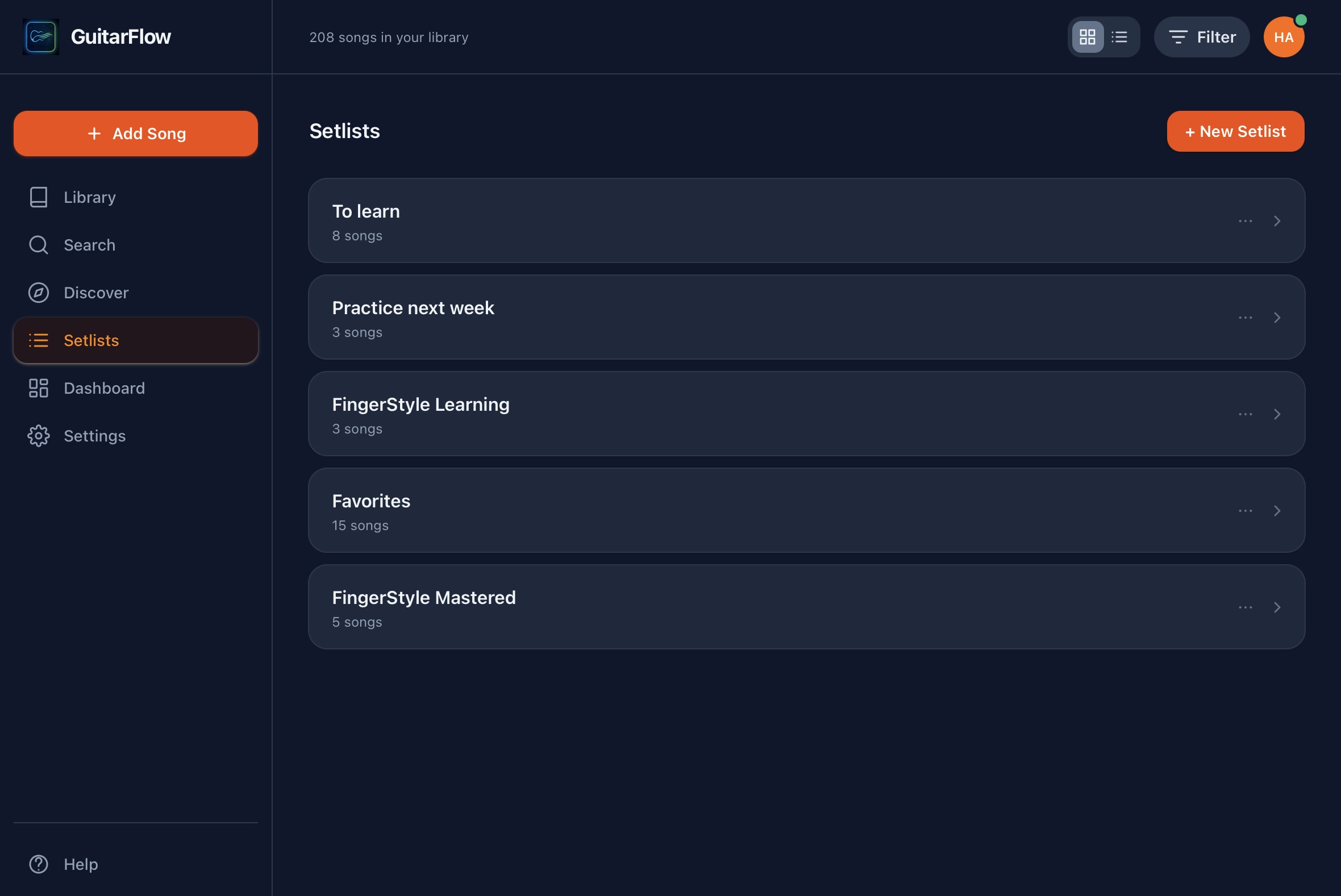
Setlists take this a step further. When you group songs into a real set and run through them in order, you are not just tracking individual songs — you are rehearsing the thing you will actually perform. You discover that two ballads land back-to-back where they should not. You notice that your strongest closer has gone untouched for a month. You find out your ninety-minute set is really seventy-five minutes of honest material. Setlists make that visible before the gig does.
Before any tool, the fix is structural: one trusted home for all your songs, a clear picture of what you have played recently, and setlists that reflect how you actually perform. Once that structure is in place, maintaining your guitar repertoire stops feeling like admin. It becomes part of the practice itself.
See how the practice workflow looks
The views below show how GuitarFlow keeps your guitar repertoire organized — from the song library to setlist rehearsal and Performance Mode. Each screen is one step in the same workflow.
Practice with a list you trust
Build your repertoire, track what is gig-ready, and rehearse setlists the way you perform. Start free — upgrade when your song library grows.